Avatar Ready Settings
An Avatar Ready Settings panel is available in the Project Settings window.
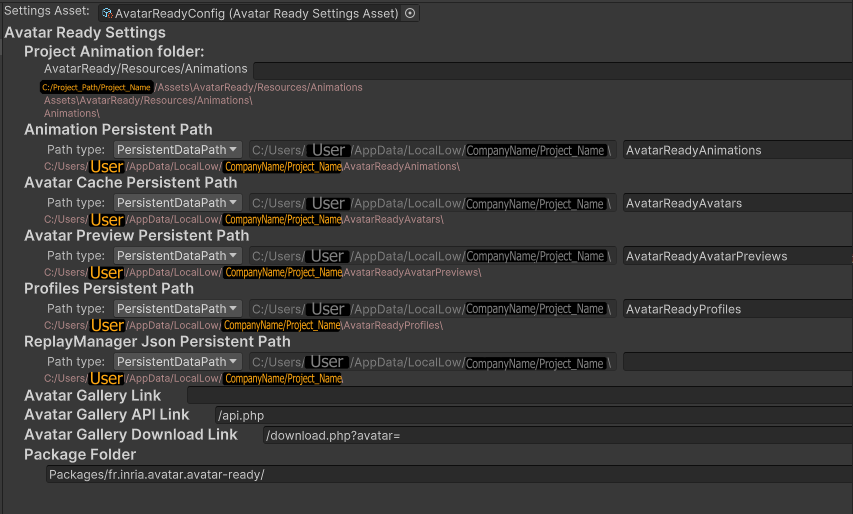
This windows will allow you to define the different paths for the data folders used by Avatar Ready.
Settings Asset: The current setting asset used.
Project Animation folder: Resource folder used to store animations recorded with a recorder feature while in unity editor.
Animation Persistent Path: Persistent folder used to store animations recorded with a recorder feature in a build project.
Avatar Cache Persistent Path: Persistent folder used to store avatars’ cache data. Modify this folder if you want to reuse avatars between projects.
Profiles Persistent Path: Persistent folder used to store users’ profiles. Modify this folder if you want to reuse profiles between projects.
ReplayManager Json Peristent Path: Persistent folder used to store the json file loaded by the replayer manager. Only used with the replay manager tool.
Avatar Gallery Link: Link to the avatar gallery used to download avatars.
Package Folder: Folder containing the avatar ready package.
The avatar Ready settings are stored in a scriptable object. You can create multiple variations of this scriptable object to quickly switch between value presets.